
Mine finder game: read the numbers, open every safe tile
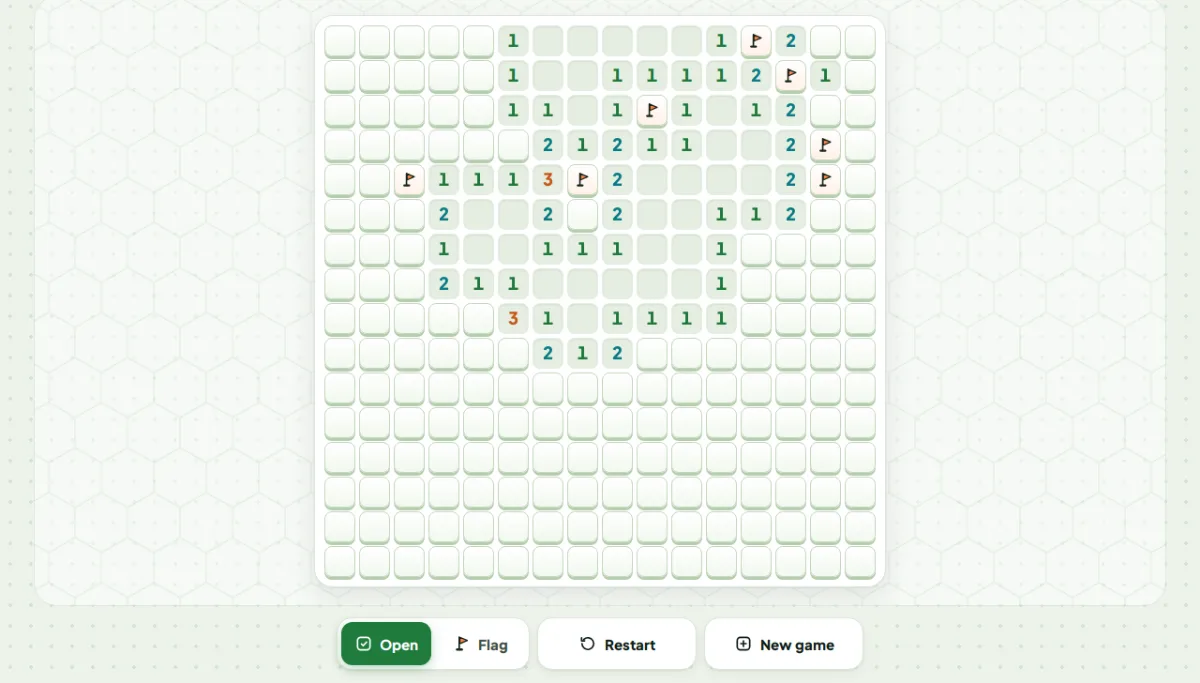
Hidden Mines is a mine finder game where every number is a clue: it tells you how many mines touch that tile. Your job is to open all the safe tiles and leave the mines covered, using nothing but careful reasoning. It runs in your browser with three levels, a first tap that is always safe and boards built so you never have to guess.
Free · No download · Runs in your browser

How to play
- Choose a level: Easy (9×9 with 10 mines), Medium (16×16 with 40) or Hard (30×16 with 99).
- Tap any tile to start. The first tap is always safe and opens a whole area of the board.
- Read each number: it counts the mines in the eight tiles around it, including the diagonals.
- Flag a tile you are sure hides a mine with a long-press, a right-click or the Flag switch.
- Tap a number whose flags are all placed to open the rest of its neighbors in one go.
- Keep going until every safe tile is open; the timer shows how long the board took.
Also known as
- Minesweeper
- mine sweeper
What it exercises
Each board is a small chain of deductions. You never need luck, only a clear look at what the numbers already tell you.
Deduction
A 1 next to a single covered tile means that tile is a mine. Small certainties like this add up until the whole region is solved.
Working memory
You keep several overlapping clues in mind at once, comparing a 2 with the 1 beside it to see which tiles they share.
Patience and focus
Opening a tile on a hunch can end the round, so the puzzle rewards a calm pause before every move.
Tips
- Start from the edges of the open area, where numbers touch only a few covered tiles.
- When a number already has all its flags, every other tile around it is safe.
- Compare neighbors: if a 1 and a 2 share all but one covered tile, that extra tile under the 2 holds a mine.
- Flag only when you are certain. A wrong flag makes the number beside it look satisfied when it is not.
- On a phone, switch between Open and Flag mode if long-press feels slow, and zoom in on the Hard board.
- After a mine, use Try again to replay the same board from the same opening and find where the logic slipped.
Frequently asked questions
How do you play a mine finder game?
Open tiles one by one. A number shows how many of the eight surrounding tiles hide a mine; an empty tile has none, so its area opens by itself. Use the numbers to work out which tiles are safe, flag the mines and clear every safe tile to win.
Can I play the mine finder game online for free?
Yes. Hidden Mines is free, has no ads and plays in the browser on a phone, tablet or computer, with nothing to download. Your best time for each level is kept on your device.
Is there a mine finder game with no guessing?
Yes. With the Fair boards switch on, which is the default, each board is built so it can be solved by logic from your first opening. You will not reach a spot where only a lucky guess can help.
What do the numbers mean in a mines puzzle?
Each number counts the hidden mines in the eight tiles that touch it, including the corners. A 3 means exactly three of those neighbors are mines, and the rest are safe.
Is Hidden Mines a minesweeper-style game?
Yes, it follows the classic rules of that logic puzzle with our own calm design: rounded tiles, a soft round marker for the mines and no loud effects. If you open a mine, the board simply shows where they all were.
Can I play mine finder online with a keyboard?
Yes. Use the arrow keys to move, Space or Enter to open a tile and F to place or remove a flag. On a number whose flags are all placed, Space opens its other neighbors.

