
Jigsaw puzzle online: pick a picture, snap the pieces
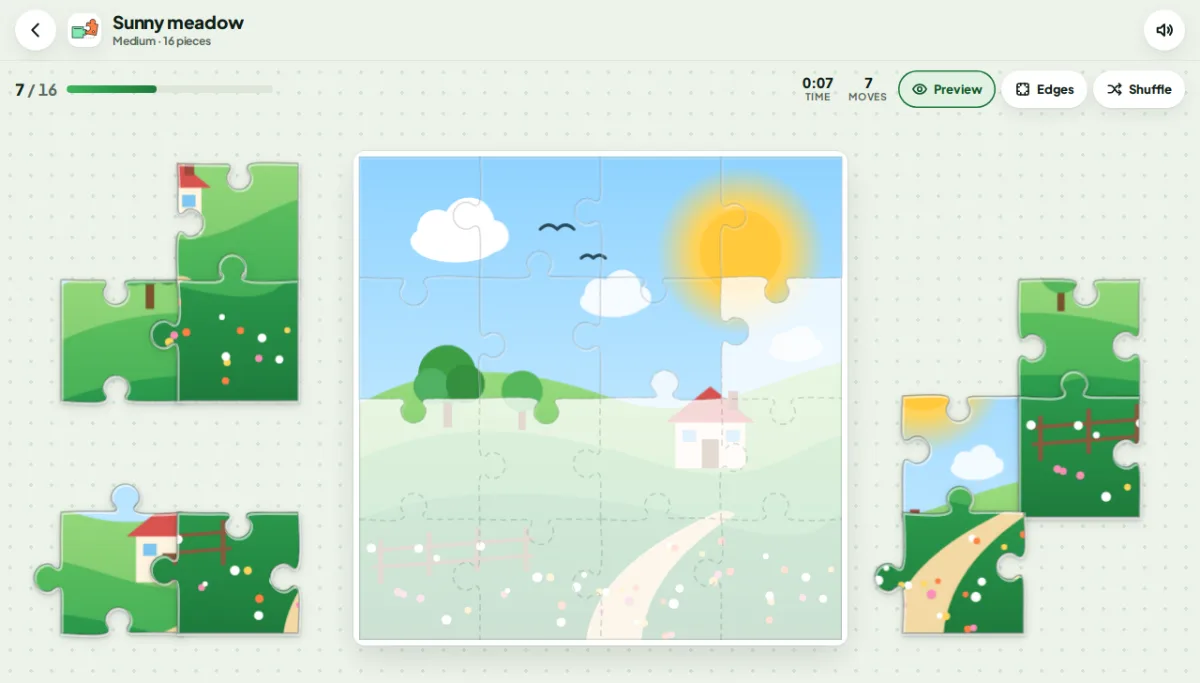
Jigsaw is a jigsaw puzzle game for your browser with classic interlocking pieces that click into place when they are close to home. You choose a picture from five themes, set the number of pieces and rebuild the image at your own pace. There is no timer pressure: the clock and move counter are there only if you like to keep track.
Free · No download · Runs in your browser

How to play
- Choose a level: Easy (9 pieces), Medium (16), Hard (36) or Expert (64).
- Pick a picture from Illustrations, Animals, Space, World or Art, or press Random to let the game choose.
- Drag a piece onto the board with a mouse, finger or pen.
- Drop it near its spot: a piece in the right place snaps in and locks there.
- Use Preview to see the whole picture, Edges to show only the edge pieces, and Shuffle to mix the rest.
- Place every piece to finish, then replay the picture, go to the next one or browse all pictures.
What it exercises
A picture puzzle is a gentle exercise in looking closely. You match shapes, colors and fragments of a scene until the whole picture appears.
Visual and spatial reasoning
You judge where a piece belongs from its outline, its tabs and the bit of picture it carries.
Attention to detail
Small differences in color or texture separate two pieces of sky or water, so the puzzle asks you to notice them.
Patience
Building the image piece by piece is slow, steady work, which makes a jigsaw a quiet way to take a break.
Tips
- Start with the frame: switch on Edges, place the border pieces and then fill the middle.
- Group pieces by color or by a clear detail, such as a horizon line or a patch of bright flowers.
- Check the Preview when you are unsure what a fragment shows, then close it and keep building.
- On a phone, the pieces wait in a tray under the board; swipe sideways to scroll it and drag up to lift a piece.
- Look at the shape of a gap: count its tabs and blanks before you try puzzle pieces in it.
- If the leftover pieces feel crowded, press Shuffle to spread them out again.
Frequently asked questions
Can I play a jigsaw puzzle online for free?
Yes. Jigsaw is a free online puzzle with no ads that runs in the browser on a phone, tablet or computer. There is nothing to download or install.
How many pieces can a jigsaw puzzle have here?
Four levels: Easy with 9 pieces, Medium with 16, Hard with 36 and Expert with 64. Any picture can be played at any level.
What pictures are in the jigsaw puzzles?
There are 93 pictures in five themes: eight original illustrations plus photos and artworks in the Animals, Space, World and Art themes. The photos come from our image library and are public domain or CC0 images, credited in the game.
Are there jigsaw puzzles for adults that are not too easy?
Yes. The Hard and Expert levels cut a picture into 36 or 64 pieces with real tabs and blanks, and photos with large areas of similar color take careful work.
How do I see the full picture while solving the jigsaw?
Press Preview to show the whole image, then close it to keep going. Edges hides every piece except the border ones, which helps you build the frame first.
Can I play jigsaw puzzles on a phone?
Yes. On a narrow screen the board sits on top and the loose pieces wait in a scrolling tray below it. On a wide screen the pieces are scattered around the board.

